

Download Neat Download Manager – fast, free download manager for Mac
Neat Download Manager for Mac is a lightweight, free desktop utility that reshapes the way you retrieve files from the internet. Built around a multi‑threaded download engine, the app splits each file into smaller segments and pulls them simultaneously, delivering noticeably higher speeds than standard browser downloads. Whether you are pulling large video files, hefty software installers, or compressed archives, the manager keeps the process smooth, organized, and under your control.
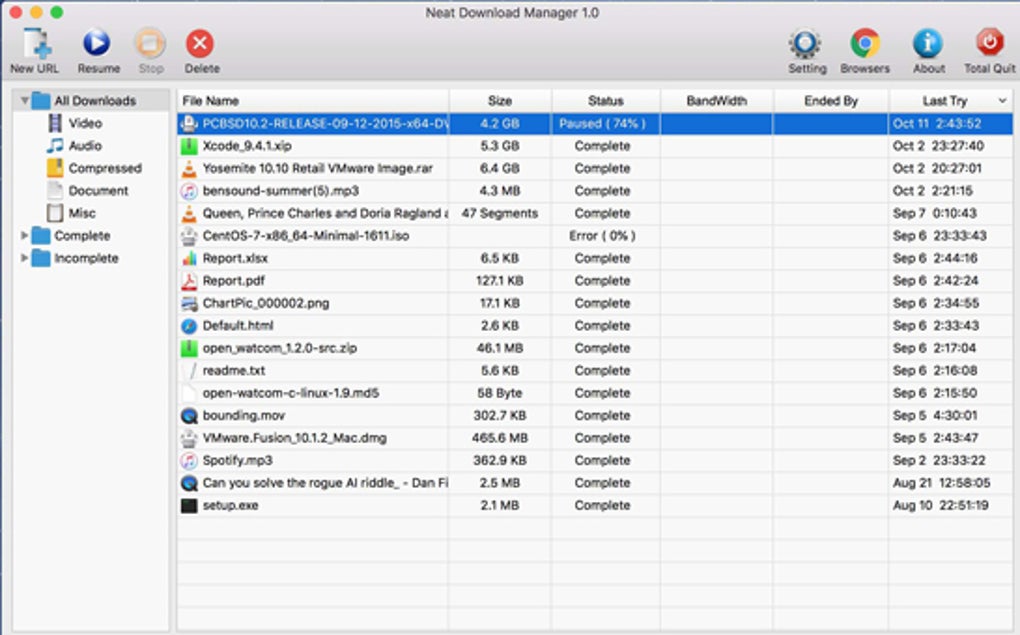
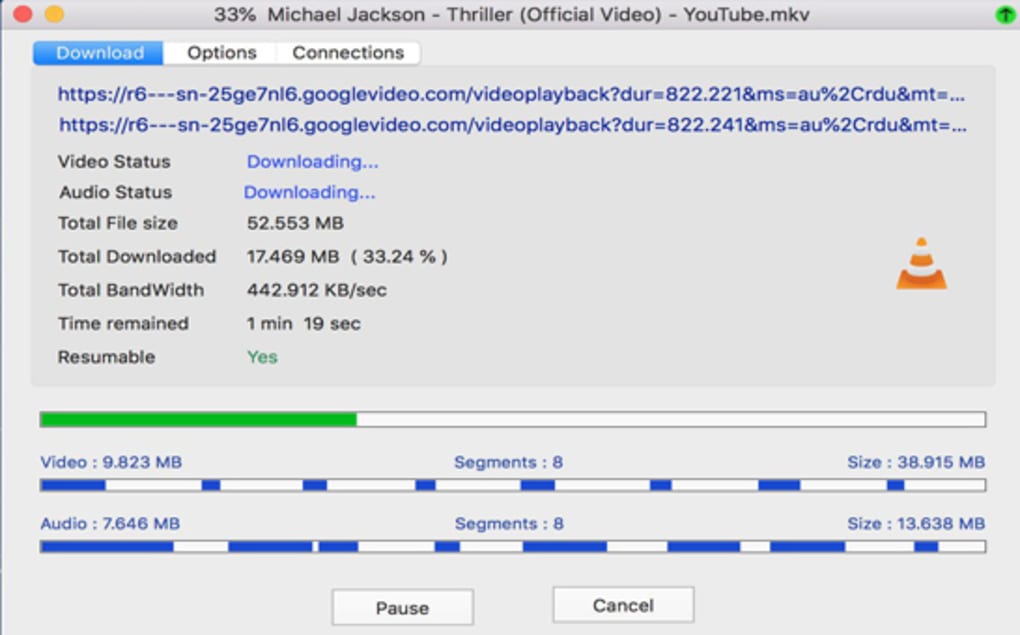
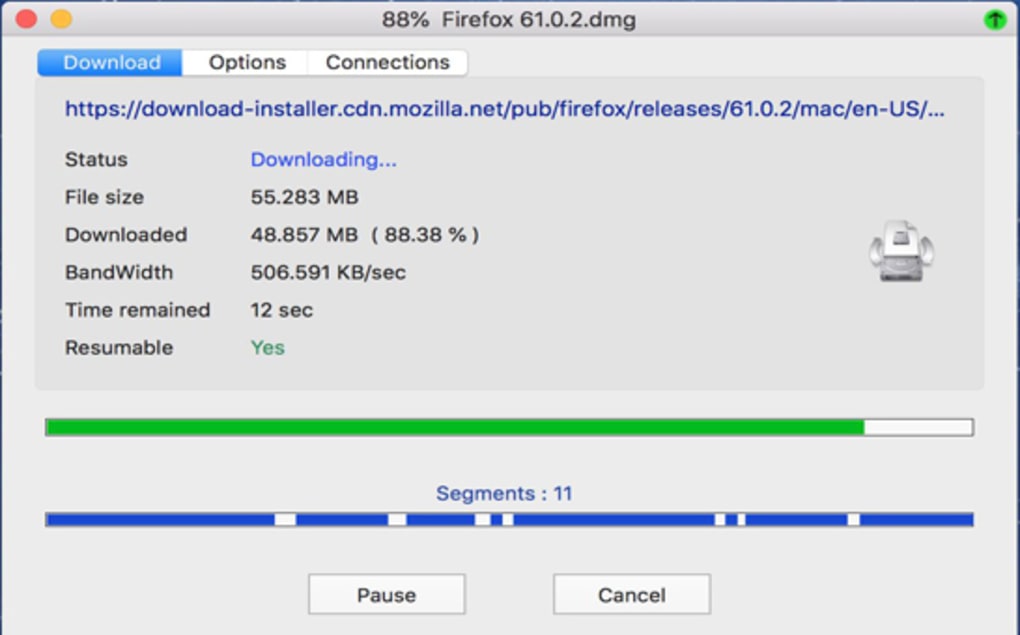
Its clear, no‑frills interface displays progress bars, estimated completion times, and automatic sorting by file type, making it easy for casual users and power downloaders alike. Optional browser extensions for Chrome and Firefox extend its reach, while the core macOS app works independently, requiring no complex configuration. Though it lacks advanced visual theming, cloud sync, or smart automation, Neat Download Manager excels at what it promises: a fast, reliable, and straightforward solution for managing multiple downloads on a Mac without taxing system resources.
Key Features and How They Boost Your Workflow
- Segmented (multi‑threaded) downloading: Files are divided into up to 8 segments, each fetched concurrently to maximize bandwidth utilization.
- Pause, resume, and queue management: Users can pause any active download, resume later, and line up multiple files in a customizable queue.
- Bandwidth throttling: Set precise upload/download limits to keep other network activities unaffected.
- Automatic file sorting: Downloads are organized by type (video, archive, document, etc.) and stored in user‑defined folders.
- Drag‑and‑drop URL support: Simply drop a link onto the main window to start a download instantly.
- Protocol compatibility: Works with HTTP, HTTPS, FTP, and proxy connections, adapting to both home and corporate networks.
- Optional browser extensions: Chrome and Firefox extensions capture links directly from the browser, though they must be installed manually.
- Lightweight background operation: The download engine runs with minimal CPU and RAM consumption, preserving system performance.
Installation & Usage Guide for macOS
Getting Neat Download Manager up and running on your Mac is intentionally simple. Follow these steps to start benefiting from faster, organized downloads:
- Download the installer: Visit the official website and click the “Download for macOS” button. The file arrives as a
.dmgpackage, typically under 15 MB. - Mount the DMG: Double‑click the downloaded file. macOS will open a new window showing the application icon and a shortcut to the Applications folder.
- Install the app: Drag the Neat Download Manager icon onto the Applications shortcut. This copies the app to
/Applicationsand registers it with Launch Services. - Launch the program: Open your Applications folder, locate Neat Download Manager, and double‑click it. The first‑time launch may prompt a security warning; click “Open” to proceed.
- Configure basic settings: In the Preferences window (gear icon), set default download folders, enable/disable the optional Chrome/Firefox extensions, and adjust the maximum number of download threads (default is 8).
- Start a download: Copy any HTTP/HTTPS/FTP URL, click the “+” button in the main window, paste the link, and press “Start.” The file will appear in the queue, segmented, and begin downloading.
- Manage ongoing transfers: Use the pause/resume buttons next to each entry, adjust bandwidth limits via the slider, or reorder the queue by dragging rows.
- Optional browser integration: If you installed the Chrome or Firefox extensions, right‑click any link in the browser and choose “Download with Neat.” The URL is automatically sent to the app, bypassing manual entry.
All settings are saved locally, so you only need to configure them once. The app also remembers unfinished downloads after a restart, allowing you to pick up exactly where you left off.
Compatibility, Pros & Cons
Supported macOS versions: macOS 10.13 (High Sierra) and later, including Monterey, Ventura, and the upcoming Sonoma release. The program runs natively on Intel and Apple Silicon (M1/M2) Macs, thanks to universal binaries.
Pros
- Significant speed boost thanks to multi‑threaded downloading.
- Free, with no hidden fees or forced upgrades.
- Simple UI that anyone can understand within minutes.
- Low system resource usage—ideal for older Macs.
- Built‑in file sorting keeps the downloads folder tidy.
- Optional browser extensions add convenience without clutter.
Cons
- No native Safari extension; downloads must be started manually.
- Lacks advanced automation features such as clipboard detection or scheduled downloads.
- No dark mode or visual theming options.
- Does not offer cloud syncing or remote device management.
- Missing smart retry logic for flaky connections (requires manual retry).
Frequently Asked Questions
Is Neat Download Manager truly free for Mac users?
Yes, the core application is completely free. There are no hidden subscription fees, and the optional browser extensions are also provided at no cost.
Can I limit the download speed to avoid saturating my internet connection?
Absolutely. The Preferences pane includes a bandwidth throttling slider where you can set a maximum download rate in KB/s or MB/s, ensuring other online activities remain responsive.
Does the manager support resumable downloads after a crash or power loss?
Yes. Neat Download Manager saves the state of each active download to a temporary file. When the app restarts, it automatically offers to resume any incomplete transfers.
What file types can the built‑in sorter handle?
The sorter categorizes files into common groups: videos (MP4, MOV, AVI), audio (MP3, AAC), documents (PDF, DOCX), archives (ZIP, RAR, 7z), images (JPG, PNG), and generic binaries or installers. You can customize folder destinations for each category in Settings.
Is there any risk of malware when downloading through Neat Download Manager?
The manager itself is a clean, sandboxed macOS application. However, it does not scan downloaded files for malware. Users should still rely on reputable sources and, if needed, run a separate antivirus scan on the downloaded content.
Conclusion & Call to Action
Neat Download Manager for Mac delivers exactly what its name promises: a neat, efficient way to handle everyday downloads without the bloat of heavyweight alternatives. Its segmented download engine provides a noticeable speed bump, while the pause/resume, bandwidth control, and automatic sorting features give you the confidence to manage large or multiple files effortlessly. Though the app omits advanced automation, dark mode, and native Safari integration, these omissions are a trade‑off for a clean, low‑resource footprint that runs silently in the background. If you’re looking for a free, secure, and straightforward solution to boost your download experience on macOS, Neat Download Manager is a solid pick.
Ready to supercharge your downloads? Download Neat Download Manager for Mac now and start enjoying faster, organized file retrieval today.
Neat Download Manager offers a refreshing blend of speed and simplicity. While it lacks some modern polish, its core functionality—multi‑threaded downloading, bandwidth throttling, and auto‑sorting—makes it a worthy addition to any Mac user's toolbox.
- Free and lightweight.
- Significant speed improvement.
- Intuitive UI.
- No Safari extension.
- No dark mode.
- Limited automation.







